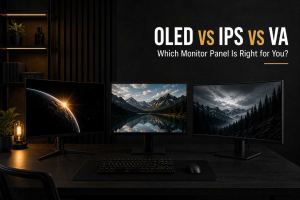
Choosing between an OLED, IPS or VA monitor can significantly affect your experience when working, gaming, watching movies or using your computer every day. Each display technology offers a different balance of contrast, colour quality, viewing angles, response times and price, so the best option depends on what matters most to you.
In this guide, we compare OLED vs IPS vs VA and explain the key differences between the three most common monitor panel technologies, including:
- The main differences between OLED, IPS and VA panels
- Which technology offers the best contrast, black levels and image quality
- How each panel performs for gaming, work and everyday use
- The advantages and disadvantages you should consider before buying
- Which monitor panel offers the best balance of performance, features and value for different users
Choosing a new monitor involves more than deciding on screen size, resolution or refresh rate. The type of monitor panel can have a major impact on how colours look, how deep black areas appear, how smooth motion feels and how comfortable the display is for everyday use. The three most common technologies are OLED, IPS and VA, but they are designed around different strengths. OLED is known for exceptional contrast and extremely fast pixel response times, IPS is widely valued for colour consistency and wide viewing angles, while VA typically offers stronger contrast than IPS at a more affordable price. The right choice depends on how you use your computer, whether that is gaming, work, content creation, watching movies or a combination of several activities.
It is also important to remember that panel technology alone does not determine whether a monitor is good or bad. Two monitors using the same panel type can still offer very different experiences because of differences in brightness, refresh rate, resolution, colour coverage, processing and overall build quality. A high-quality IPS monitor may be a better choice than a poorly implemented OLED, while a good VA display can offer excellent contrast and value for the right user. This guide compares OLED vs IPS vs VA and explains the main advantages and disadvantages of each technology, helping you understand which type of monitor is most suitable for your budget, requirements and the way you actually use your computer.
OLED vs IPS vs VA: Quick Comparison
| Feature | OLED | IPS | VA |
| Contrast | Excellent | Lower | Very good |
| Black levels | True blacks | Usually lighter blacks | Deep blacks |
| Response time | Extremely fast | Fast | Can vary significantly |
| Viewing angles | Excellent | Excellent | More limited |
| Colour performance | Excellent | Excellent | Good to very good |
| Price | Usually higher | Available across many price ranges | Often more affordable |
| Burn-in risk | Possible with static content | No OLED burn-in risk | No OLED burn-in risk |
What Is an OLED Monitor?
OLED, or Organic Light-Emitting Diode, works differently from traditional LCD monitor technologies. Instead of relying on a separate backlight behind the display, each OLED pixel produces its own light. When a pixel needs to display black, it can switch off completely. This allows OLED monitors to achieve extremely high contrast and produce what is commonly described as true black. In practical use, this can make dark scenes appear more detailed and realistic because bright elements can sit directly beside completely black areas without the same backlight limitations found in LCD displays. OLED is particularly impressive when viewing HDR content, watching films or playing visually detailed games where lighting and contrast play an important role in the overall experience.
Another major advantage of an OLED monitor is its extremely fast pixel response time. Pixels can change state very quickly, helping to reduce motion blur and ghosting during fast movement. This makes OLED particularly attractive for high-refresh-rate monitors and competitive gaming, although the technology is also valuable for general entertainment. OLED does have some considerations, however. These monitors are usually more expensive than comparable IPS or VA options, and displaying static elements for very long periods can create concerns about image retention or burn-in. Modern OLED monitors include various protection features, but people who primarily work with static windows, spreadsheets or fixed interface elements for many hours each day should still consider whether OLED is the most practical option for their specific use.
Main Advantages of OLED
- Exceptional contrast with individually controlled pixels
- True blacks because pixels can switch off completely
- Extremely fast response times
- Excellent image quality for movies, HDR and visually detailed content
- Wide viewing angles
- Strong performance for high-refresh-rate monitors
Main Disadvantages of OLED
- Usually more expensive than IPS and VA alternatives
- Static content can create image retention or burn-in concerns over time
- Brightness behaviour can vary depending on the monitor and displayed content
- May not be the most practical choice for every productivity-focused user
What Is an IPS Monitor?
IPS, which stands for In-Plane Switching, is one of the most widely used display technologies because it provides a strong balance between image quality, colour performance and viewing angles. IPS monitors are particularly known for maintaining a consistent image when viewed from different positions. Colours and brightness generally remain more stable when looking at the screen from the side, making IPS useful for situations where multiple people may view the display or where colour consistency is important. This has made IPS a popular choice for everything from office work and studying to graphic design, photo editing and general computer use. Modern IPS technology has also developed significantly, with many monitors now offering high refresh rates and fast response times.
The main limitation of IPS compared with OLED and many VA panels is contrast performance. Because IPS monitors use an LCD panel with a backlight, they cannot switch individual pixels completely off in the same way as OLED. As a result, black areas can sometimes appear more grey, particularly when using the monitor in a dark room. Some displays may also show what is commonly referred to as IPS glow, where brighter areas become visible around darker parts of the screen depending on the viewing angle. Despite this, IPS remains one of the most versatile monitor technologies available. A good IPS monitor can provide excellent colour quality, smooth motion and wide viewing angles, making it a strong all-round choice for users who need one display for several different purposes.
Main Advantages of IPS
- Excellent colour reproduction
- Wide and consistent viewing angles
- Suitable for work, entertainment and everyday use
- Available in a wide range of sizes, resolutions and prices
- Many models offer high refresh rates and fast response times
- No OLED-specific burn-in concerns
Main Disadvantages of IPS
- Lower contrast than OLED and many VA monitors
- Black areas can appear grey in darker environments
- Some monitors may show visible IPS glow
What Is a VA Monitor?
VA, or Vertical Alignment, is another LCD panel technology that is particularly known for its strong contrast ratio. Compared with a typical IPS monitor, a VA display can usually produce deeper blacks, which can make darker scenes appear more immersive. This makes VA a popular option for people who watch films, play visually atmospheric games or simply prefer a display with stronger contrast. VA monitors are also often available at competitive prices, making them an interesting middle ground between IPS and OLED. For someone who wants noticeably deeper blacks than IPS but does not want to pay the premium typically associated with OLED, a high-quality VA monitor can provide excellent value.
The biggest weakness of VA technology is that motion performance can vary considerably between different monitors. Some VA panels have slower pixel transitions, particularly when changing between darker shades. This can result in visible dark smearing or ghosting during fast movement. Not every VA monitor suffers from this problem to the same extent, and higher-quality models can offer significantly better performance. For this reason, it is important to compare the specifications and independent testing of the exact monitor rather than assuming all VA panels behave in the same way. A good VA display can offer an excellent combination of contrast, immersion and value, but users who prioritise extremely clear motion may prefer OLED or a fast IPS monitor.
Main Advantages of VA
- High contrast ratios
- Deeper blacks than typical IPS monitors
- Often offers strong value for money
- Good for movies and immersive visual content
- No OLED-specific burn-in concerns
Main Disadvantages of VA
- Viewing angles are generally more limited than IPS and OLED
- Response times can vary significantly between models
- Dark smearing may be visible during fast movement
- Colour and motion performance depend heavily on the individual monitor
Which Panel Has the Best Image Quality?
If your main priority is contrast and black levels, OLED generally offers the strongest image quality. Because every pixel can produce its own light and switch off independently, OLED can create a level of contrast that traditional LCD technologies cannot reproduce in exactly the same way. This is particularly noticeable in dark environments, HDR content and scenes containing both very bright and very dark elements. However, image quality is not defined by contrast alone. A monitor's resolution, brightness, colour coverage and calibration also play an important role. For colour-focused work, a high-quality IPS display can still be an excellent choice and may offer the consistency and practicality that some users need for long periods of daily use.
VA offers a different balance. It cannot produce the true blacks of OLED, but it generally provides significantly stronger contrast than IPS. This can make VA an attractive option for people who want an immersive viewing experience without moving into premium OLED pricing. IPS remains one of the most balanced technologies for overall image quality because it combines strong colour performance with wide viewing angles and broad availability. Ultimately, the best choice depends on which aspects of image quality matter most to you. If you prioritise contrast, OLED leads. If you prioritise versatility and colour consistency, IPS is difficult to beat. If you want deeper blacks at a more accessible price, VA can be an excellent alternative.
Which Panel Is Best for Gaming?
There is no single answer to which monitor panel is best for gaming because different types of games place importance on different features. OLED is an excellent choice for people who want extremely fast response times, strong motion clarity and exceptional contrast. It can provide an impressive experience in both competitive and visually demanding games. However, the higher price means it may not offer the best value for every buyer. Fast IPS monitors are often one of the most balanced options because they combine high refresh rates, good colour performance and strong motion handling across a wide range of prices. They are particularly suitable for users who want smooth gameplay without paying the premium for OLED technology.
VA monitors can also be a good option, particularly for players who value contrast and immersion. Deep blacks can make darker environments look more convincing, but motion performance should be considered carefully because some VA panels can show dark smearing. The type of games you play should therefore influence your decision. Someone who mainly plays fast competitive titles may prioritise response times and refresh rate, while someone focused on slower, visually detailed single-player games may place greater importance on contrast and image quality. Instead of choosing a panel based purely on marketing, it is better to consider the complete monitor specification and how well it matches the type of content you actually use most often.
Which Panel Is Best for Work and Everyday Use?
For work, studying and general computer use, IPS is often the safest all-round choice. Its wide viewing angles and strong colour consistency make it comfortable for a wide variety of tasks, including browsing, document editing, programming, photo work and general productivity. IPS monitors are also available in many different sizes and resolutions, making it easier to find a model that fits your desk, budget and workflow. For users who spend long hours working with static applications, IPS can be particularly practical because there are no OLED-specific concerns about static interface elements. This does not mean OLED is unsuitable for work, but users should think about their typical usage patterns before choosing it.
VA can also work well for productivity, especially for users who prefer stronger contrast or use their monitor for a combination of work and entertainment. OLED offers excellent clarity and image quality, but its suitability depends more heavily on the type of content displayed throughout the day. If your monitor will spend most of its time showing spreadsheets, software interfaces, browser windows and other static elements, an IPS monitor may provide a more straightforward long-term solution. The ideal choice depends on whether you need maximum versatility, stronger contrast or premium image quality. For most people looking for one monitor that can comfortably handle everyday tasks, IPS remains one of the most practical choices.
OLED vs IPS vs VA for Different Types of Users
| User Type | Recommended Panel | Why |
| Competitive gaming | OLED or fast IPS | Fast response times and smooth motion |
| Immersive single-player games | OLED | Exceptional contrast and image quality |
| Office and productivity | IPS | Strong versatility and colour consistency |
| Creative work | IPS or OLED | Strong colour performance depending on the model |
| Movies and entertainment | OLED or VA | High contrast and deeper blacks |
| Budget-focused users | IPS or VA | More affordable options are widely available |
Other Specifications You Should Consider Before Buying
Choosing between OLED, IPS and VA is only one part of finding the right monitor. Resolution determines how detailed the image appears, while screen size affects both comfort and available workspace. Refresh rate is particularly important for smooth motion, and brightness can make a significant difference if the monitor will be used in a brightly lit room. Colour coverage and calibration are also important for photography, video editing and other creative work. Connectivity should not be ignored either, especially if you need multiple HDMI or DisplayPort connections, USB ports or USB-C support for laptops and other devices.
- Resolution: 1080p, 1440p or 4K
- Refresh rate: Important for motion smoothness
- Screen size: Affects workspace and viewing comfort
- Brightness: Particularly important in bright rooms
- Colour coverage: Important for creative and professional work
- Connectivity: Determines which devices you can connect
A monitor should therefore be judged as a complete product rather than by panel type alone. A well-designed IPS monitor with the right resolution, refresh rate and features may be better suited to your needs than an OLED model that does not match your workspace or budget.
Should You Choose OLED, IPS or VA?
Choose OLED if you want premium image quality, exceptional contrast and extremely fast pixel response times. It is particularly attractive for people who want the best visual experience for games, movies and other immersive content and are comfortable paying more for the technology. Choose IPS if you need a versatile monitor that performs well across work, gaming, studying and everyday use. IPS offers an excellent balance of colour performance, viewing angles and practicality, with options available across many different price points.
Choose VA if contrast is important to you but OLED is outside your budget. A good VA monitor can provide deeper blacks and a more immersive image than a typical IPS display while remaining more affordable than many OLED alternatives. However, checking the performance of the individual model is particularly important because response times and motion handling can vary. The best choice is ultimately the one that matches your actual needs rather than simply choosing the technology with the most impressive specifications on paper.
Final Thoughts
When comparing OLED vs IPS vs VA, there is no universal winner. OLED offers the strongest contrast and extremely fast response times, IPS provides one of the best combinations of colour quality and versatility, while VA delivers strong contrast and good value for users who want deeper blacks without the cost of OLED. Each technology can be the right choice depending on how you use your computer and what features matter most to you.
Before buying a new monitor, think about your budget, workspace, preferred screen size, resolution and the type of content you use most often. Someone focused on productivity may benefit most from IPS, while a user who prioritises movies and premium visual quality may prefer OLED. A VA monitor can be an excellent middle ground for users who want stronger contrast at a more accessible price. By comparing the full specifications alongside the monitor panel technology, you can make a more informed decision and choose a display that offers the right balance of performance, image quality and value.